Coreshift Technology.

Automation / Technology

One platform.
Many bots.

Every bot runs on the same three layers, with your data in a schema of its own. Here is the whole shape of it, then the detail underneath.

The 30-second version.

How a CoreShift automation is put together Three columns. On the left, the tools work already arrives in: email, forms and requests, your CRM, and accounting. In the middle, the CoreShift platform in three stacked layers: a gateway that verifies signatures, rejects duplicates and routes; then the scoped bots; then your own tenant database, an isolated schema holding only your data. On the right, what you see coming back out: operator alerts, outbound email, and exports. WHERE WORK ARRIVES Emailrequests and replies Forms & requestsfrom your website Your CRMcontacts, opportunities Accountinginvoices, payments CORESHIFT PLATFORM Gateway verifies signatures · rejects duplicates · routes SCOPED PER ENGAGEMENT Projectcoordination Receptionand routing Accountsreceivable …plus the rest of the catalog Your tenant database isolated schema · your data only requestscontactsaudit_logdocumentsfinancialsprocessed_msgs WHAT YOU SEE Operator alertsapprovals, errors Outbound emaildocuments, replies Exportsyour records, on request work arriving actions out

Three layers. Each customer gets their own tenant database; the bots share the platform. Which bots exist for you, and what each one may do without asking, is set in your scope.

Three layers, three jobs.

The gateway — everything enters here

One front door for every workflow. It verifies that an incoming message is genuinely from where it claims to be, rejects duplicates so a retried delivery cannot fire an action twice, and routes what is left to the right bot for the right tenant. It is the layer that makes the other two safe to reason about: nothing reaches a bot that has not been checked and attributed first.
The bots — one workflow each

A bot owns one job and holds the rules for it: what it may do on its own, what it must prepare and hand to a person, what counts as an exception, and what it does when a field it needs is missing. Club Coordinator — an existing product, currently paused — holds one set of those rules, for member services; the PM assistant holds another, answering a project manager's questions about their own jobs and nobody else's, and it is the one of the two answering questions today. They share the platform and its plumbing; they do not share your data. Adding a second bot does not widen the first one's access.

Your tenant database — the boundary that matters

Your records live in a Postgres schema of your own, and a connection scoped to your tenant cannot address another one. This is the difference between isolation that is enforced by the database and isolation that depends on every query remembering to say "where tenant_id = …". The first survives a mistake in application code. The second is one forgotten clause away from a leak.

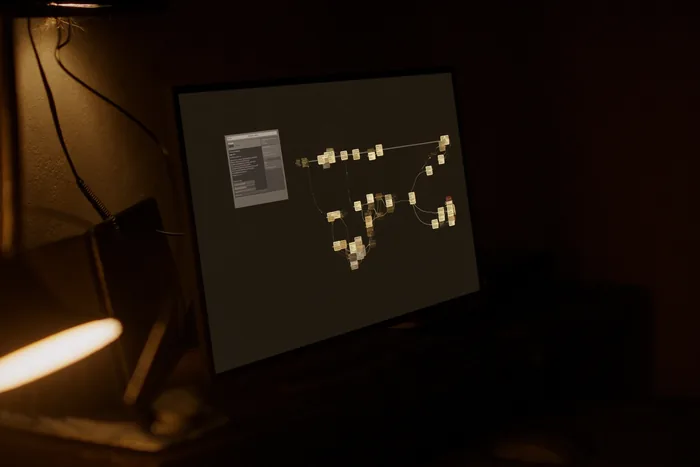
A workflow builder on a monitor, connected steps running unattended on a dark canvas.

Technology

It runs when
nobody is there.

A trigger arrives, the gateway verifies it, the bot does the routine part and stops where you told it to stop. The audit log is what you read in the morning.

What one run actually does.

An illustrative sequence, not a recording of a customer's workflow. The steps are the real ones; the example is written for this page.

  1. A request arrives

    An email, a form submission, or a record created in a system you already use. The gateway checks it is genuine and that it has not already been handled — the same message arriving twice must not produce two replies.

  2. The bot reads it against your rules

    Not "what would a model say" — what your scope says this workflow may do. Missing information is treated as missing, not guessed: a request with no amount stops and asks rather than inventing one.

  3. It writes to your tenant database

    A record with an owner, a state and a timestamp. Every action is appended to your audit log as it happens, including the ones that were refused.

  4. It prepares the outgoing action

    A draft reply, a document, an update to a record. Preparing is not sending.

  5. A person decides

    Anything consequential waits at the approval gate and is delivered to whoever your scope names. They can edit it, approve it, or reject it with a reason.

  6. Then it goes out — and is recorded

    The approval, the approver and the final content are written to the audit log next to the draft that preceded them, so the record shows what was proposed as well as what was sent.

Integrations need evidence.

A connector is not finished when it authenticates. It is finished when it has moved real records end to end, in your accounts, and failed in the ways it will fail in production — a revoked token, a renamed field, a rate limit — without losing work or acting on a half-read message.

So a workflow is scoped against the systems you actually run, and the connections it needs are agreed and tested before activation rather than assumed from a logo on a page. Where a connection has not been proven for your setup, the honest answer is that it needs building and testing, and that is what you will get.

Where it runs, and
who sets the terms.

The platform runs on CoreShift infrastructure. Where a workflow has to read a system that only exists on your network — an on-premises accounting or job-costing database, for example — the pattern is a read-only, outbound-only bridge that runs on your side and pushes to us. No inbound firewall hole, no VPN into CoreShift, and nothing on your network that accepts a connection from outside.

There is no CoreShift appliance and no local model deployment. If that is a requirement for you, say so early: it changes the shape of the engagement rather than being a setting.

Hosting, backup schedules, retention windows, who holds which credential and what happens at the end of the engagement are all engagement terms, set in writing with you. A marketing page is the wrong place to fix them, and you should be suspicious of one that tries.

Read the security and data-handling detail See how an automation is scoped and activated

Let’s talk about the work

What are you tired
of working around?

Show us the spreadsheet, the website, or the task you keep explaining. That’s enough to start a useful conversation. Start a project